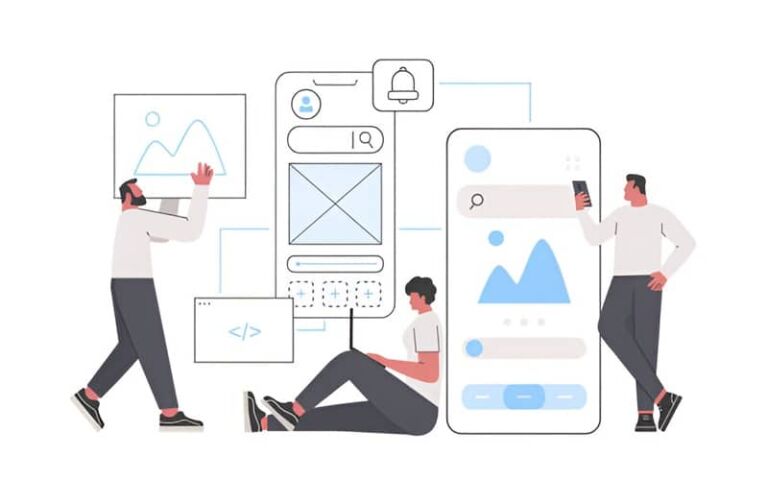
The first screen is a decision point. A visitor lands, skims for two or three seconds, and either commits or leaves. Strong above-the-fold optimization gives that moment structure. It explains what you do, shows why it matters, and offers one clear action. The goal is clarity without clutter and speed without dullness.
The job of the fold
Above-the-fold content earns permission to scroll or click. It does three things well. It states the value in a line that a busy person can repeat to someone else. It shows proof so the promise feels safe. It places a single call to action where a thumb or cursor naturally rests. Everything else belongs further down the page.
Decide what the fold should achieve
One fold cannot do every job. Pick the outcome that matches your model. A local service business wants a call or a form start. A B2B SaaS prefers a trial start or a demo request. An ecommerce brand wants an add to cart or a size pick. A publisher wants a category click or an email signup. Write that outcome at the top of your brief so copy and layout stay focused.
Build a hero section that respects speed
Large hero images look expensive, then slow a site to a crawl. Start with performance as a constraint. Choose one image that supports the message and compress it well. Set intrinsic width and height so the layout does not jump. If you use video, keep it silent, short, and paused by default. A calm hero helps Core Web Vitals and keeps the first impression tidy.
Write copy that earns the click
Headline
Treat the headline like a product label, not a slogan. State the category and the edge. “WordPress sites that load fast and convert” beats abstract claims. Keep it short on mobile. If the line wraps to three or more lines, you likely diluted the point.
Support line
Use a single sentence to add detail. Name the audience, the outcome, or the mechanism. Do not list features. Save those for a later section once the visitor has decided to stay.
CTA microcopy
A button that reads “Get started” is fine, but a button that mirrors the goal is better. “Book a 15-minute demo” or “Get your free audit” sets expectations. If there is risk or cost, say it. “No card needed” removes friction.
CTA placement that follows the eye
Place the primary CTA where the eye lands after reading the headline and support line. On desktop that is usually right under the text block. On mobile it often sits just above the fold edge so the thumb can reach it without stretching. Keep a secondary link for people who need more proof, such as “See pricing” or “View case studies,” but do not let it compete with the primary.
Visual hierarchy that guides scanning
A fold works when the hierarchy is obvious. Set a clear reading order. Logo and compact navigation at the top, headline and support line left or center, CTA close to the copy, visual on the opposite side. Use contrast to separate elements rather than borders everywhere. Give the hero generous padding so it breathes on small screens. If you show social proof, place one line near the CTA instead of a crowded logo wall. Two or three customer logos with a short stat often outperform a dozen tiny marks.
Patterns by business type
Service business
Lead with the service and the area. “Emergency boiler repair in Bristol, 24 hours.” Show a recent project photo or team image that feels local. Add a single trust cue near the button, such as review count or response time. The primary action is “Call now” or “Book a visit,” with a backup link to “See pricing.”
B2B SaaS
State the job to be done. “Resolve website issues before customers notice.” Pair the line with a quiet product shot or dashboard detail, not a busy collage. Use one proof element: a metric, a recognisable customer, or a short testimonial. The primary action is “Start free trial” or “Book demo.” A secondary link to “See how it works” handles the researcher segment.
Ecommerce
Use a crisp product image against a clean background and a benefit-led line. Add a tight choice such as color or size if it fits. Keep the price visible near the CTA. Avoid rotating banners. If a promo exists, state it simply and keep it close to the button.
Publisher or content hub
State the focus and show one or two strong categories. Place a search bar or a topic picker within reach. If email is the goal, show the offer and the value of joining. Keep fields to one email input and a single button.
Mobile first decisions that prevent clutter
Design mobile before desktop. The first screen on a phone is short, so every element must justify its space. Keep the logo compact and the nav minimal. Replace full menus with a tidy icon that opens a clean sheet. Set type sizes that are readable without pinch. Keep the CTA large enough for a comfortable tap and placed within thumb range. Test on a mid-range device over mobile data to catch slow assets and sticky interactions.

Proof that supports, not distracts
Proof belongs near the action. A single line such as “Trusted by 1,200 UK businesses” with two recognisable logos helps more than a dense carousel. If you use ratings, show the source and the count. If you add a testimonial, keep it short and link to a deeper case study for those who want detail. The fold is not a gallery. It is a teaser that removes doubt.
Navigation that does not overpower
Heavy navigation steals attention from the hero. Use a short top bar with three or four high intent links only. Place the rest into the menu. If you need a secondary bar for service areas or languages, keep it slim and avoid bright colors that compete with the CTA. Sticky headers are fine when they are small and quiet. Loud sticky bars reduce readability and drive visitors to scroll past the hero without understanding it.
Testing that mirrors real behavior
Set a baseline before you change anything. Record scroll depth, click rate on the primary CTA, and time to first interaction. Ship one change at a time. Swap a headline, move the CTA, change the hero image, or add a small proof line. Check results over a full week so weekday and weekend traffic patterns are represented. Keep wins and roll back losses fast. If you run experiments, make sure analytics count a page view or event reliably when navigation is enhanced with client side transitions.
Common mistakes to avoid
Carousels dilute focus and slow the page. Auto playing video distracts and burns data. Full screen graphics push copy below the fold, leaving the visitor unsure what you sell. Weak contrast hides the CTA on mobile. Generic claims like “Solutions for the modern world” waste the first impression. Avoid stuffing the fold with badges, awards, and partner logos unless they directly support the action you want.
A one week plan to improve any hero
Day one, define the single outcome for the fold and write a new headline that names the category and the edge. Day two, compress or replace the hero visual and set intrinsic dimensions. Day three, tighten the CTA microcopy and place it where the eye lands. Day four, add one proof element near the button and remove any extra noise. Day five, test on a phone outdoors and on a mid-range laptop, then deploy and measure for seven days.
The takeaway
Above-the-fold optimization is about making a fast, confident first impression. A sharp hero section, disciplined visual hierarchy, and clean CTA placement give visitors a reason to act now or to keep reading with intent. Get the copy right, keep the assets lean, place proof where it matters, and test small changes in real conditions. Do that and the first screen becomes the most reliable part of your funnel.